
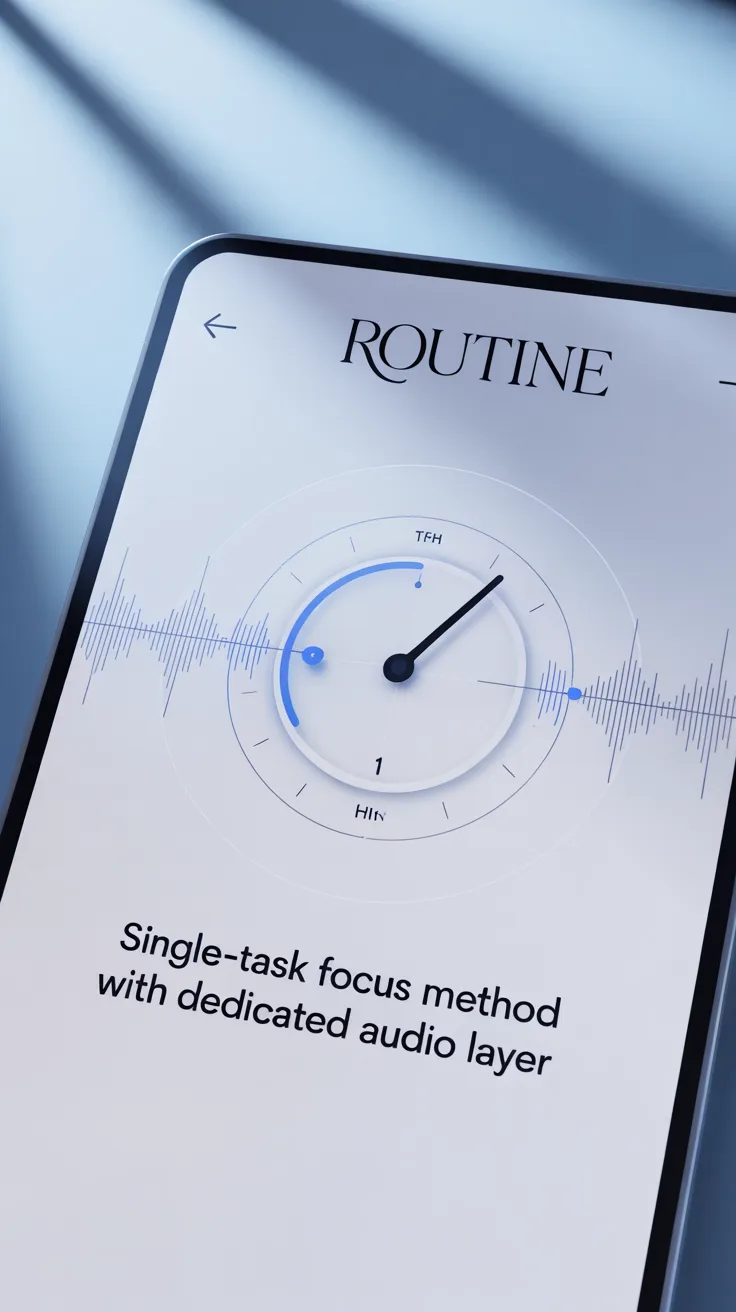
The “One Tab Only” Routine pairs a single-task focus method with a dedicated audio layer to help you enter flow faster, reduce attention residue, and finish work with less cognitive fatigue. Instead of juggling dozens of browser tabs and playlists, you open one purposeful tab, press play on a repeatable focus soundtrack, and move from start to done in clear blocks.
Many professionals rely on dedicated audio tools to anchor this routine. If you prefer a ready-made soundtrack designed for mental clarity, consider starting your next session with Brain Song Original as a simple, reliable audio layer.
Table of Contents
Why single-tasking with an audio anchor works
Multi-tasking often masquerades as productivity, but research shows the brain context-switches rather than truly multitasks. Each switch comes with a “switch cost”—lost time and mental energy to reload working memory. Add to that dozens of open tabs, pings, and feeds, and you multiply attention residue, the lingering cognitive drag from interrupted tasks.
The “One Tab Only” Routine interrupts that pattern on two fronts:
- Cognitive simplicity: One explicit task, one destination (one tab), one intention.
- Sensory stability: A consistent audio layer that cues the brain into a stable working state.
This combination reduces stimulus competition. By limiting the visual field to one browser tab, you reduce triggers for novelty-seeking dopamine spikes (news, feeds, chats). By layering consistent audio—ambient, instrumental, or purpose-built focus tracks—you muffle environmental noise and avoid the micro-evaluations (“Which playlist now?”) that fragment attention.
The audio layer acts as a conditioned cue. Over time, when you hear the same soundtrack at the start of work, your brain anticipates deep work. This is habit stacking in action: cue → routine → reward. The cue is pressing play on the same audio; the routine is the single-task sprint; the reward is the “done” feeling and end-of-block break.
There’s another subtle win: single-tasking preserves working memory. When you’re not tracking dozens of open loops (tabs, messages, alerts), you free cognitive load for reasoning, writing, coding, or analysis. That’s what makes monotasking powerful. Paired with a trusted soundtrack, it becomes a repeatable, low-friction ritual that guides you into flow state more reliably than ad-hoc productivity hacks.
Finally, a consistent routine reduces decision fatigue. You don’t have to choose which tab to open or which song to play. You already decided: one tab, press play, start timer. That simplicity compounds into better output with less stress.
Build your “One Tab Only” Routine
To turn this into a daily system, start by designing the container—the physical space, device settings, and rules that make it easy to start and hard to drift.
Prepare your space:
- Clear your desk to the essentials: laptop, notebook, water.
- Decide on lighting and temperature. Comfort reduces fidgeting.
- Keep your phone out of sight or face-down in Do Not Disturb.
Prepare your devices:
- Create a dedicated browser profile called “Focus.” Pin your one working tab. Hide the bookmarks bar and disable extensions you don’t need.
- Use system Focus/Do Not Disturb. Allow only urgent contacts if necessary.
- Turn off desktop badges for email, chat, and calendar during your block.
Define the One Tab rule:
- One active task, one active tab. If you need multiple resources, choose one “hub” tab (e.g., your editor or doc) and open reference material in reader mode within that tab’s split view or a single temporary popup you close immediately after use.
- If your work requires multiple windows (e.g., coding + preview), contain it to one workspace or virtual desktop so its boundaries are visually clear.
Capture stray thoughts:
- Keep a “Parking Lot” note open on paper or a tiny sticky note app. When a thought appears, write it down, don’t chase it. This prevents context switching while reassuring your brain that nothing is lost.
Time boundaries:
- Choose a block length based on task difficulty and your energy. Common options: 25, 40, or 50 minutes. Pair with a 5–10 minute break.
- Stack 2–3 blocks for a “focus sprint” if the task is larger. End with a longer break.
Start and end rituals:
- Start: Press play on your audio, set a timer, state your intention (“Ship draft section 2”).
- End: Save, ship, or checkpoint progress. Close the tab. Quick reflection: one sentence on what moved and what’s next.
Anchoring these steps turns the “One Tab Only” Routine from a clever idea into a habit you can trust—especially on days when motivation is low.
Audio layer for the “One Tab Only” Routine
The audio layer is not about entertainment; it’s about stability. You want predictability, low lyrical content, and a texture that masks distractions without demanding attention. Think of it as acoustic wallpaper that signals “we’re working now.”
Guidelines for choosing your soundtrack:
- Consistency over novelty:
- Pick one or two reliable options you can loop daily. The repetition builds a Pavlovian association with deep work.
- Minimal lyrics:
- Lyrics compete with verbal reasoning. For writing or reading, instrumental or ambient tracks usually outperform songs with vocals.
- Gentle energy curve:
- Aim for steady energy rather than dramatic builds. Avoid sudden drops or spikes that yank your attention.
- Volume as a dial:
- Set it just high enough to mask ambient noise, not so high that it becomes the focus. Over time, your brain will treat it like a metronome for focus.
- Compatibility with task type:
- Analytical tasks: neutral ambient, brown noise, unobtrusive electronic.
- Creative tasks: gentle melodies, sparse piano, warm analog textures.
Many professionals rely on tools like Brain Song Original to streamline the audio decision and create a reliable, repeatable focus cue. It’s built to be used as a single, consistent soundtrack that you press once at the start of each session.
As one productivity coach notes, “Brain Song Original has become a go-to focus layer for clients because it removes the ‘what should I play?’ choice and gives them a stable sonic environment to enter deep work.” The point isn’t hype; it’s removing yet another micro-decision that can derail momentum.
Tips for getting the most out of your audio:
- Use over-ear headphones if possible—they reduce environmental noise and signal “do not disturb” to others.
- Start your track 30–60 seconds before the task. Use that minute to breathe, review your intention, and open the single tab you need.
- If you’re sensitive to sound, try brown noise or soft nature layers and gradually increase volume until the “I’m in” feeling clicks.
- Keep the same soundtrack for the entire block. Changing mid-session can break immersion.
Consistency is the lever. Once your brain links “press play” with “do deep work now,” you’ll spend less energy getting started and more on what matters.
💡 Recommended Solution: Brain Song Original
Best for: Creating a simple, repeatable audio cue for deep work blocks
Why it works:
- Reduces decision fatigue around playlists
- Provides a steady, non-distracting sound bed
- Supports habit-stacking the moment you press play
A complete single-task session walkthrough
Here’s a practical, step-by-step guide you can follow today.
- Pre-brief (2 minutes)
- Define the outcome: Write the smallest “done definition” you can ship (e.g., “Outline 5 subheads + draft intro”).
- Gather essentials: Notes, references, and any offline materials.
- Open your single tab: The doc, editor, or canvas where the work will happen.
- Launch cues (1 minute)
- Press play on your chosen soundtrack.
- Start your timer for the block length you selected (25, 40, or 50 minutes).
- Say your intention out loud. Tiny ritual, big focus.
- Deep block (25–50 minutes)
- Work inside the single tab. If you need a reference, copy/paste a snippet into your doc or open a temporary preview within the same workspace and close it immediately after use.
- Use a Parking Lot capture for ideas that don’t belong to this task.
- Avoid mid-block reorganizing, formatting, or perfectionism. Those get their own block later.
- Micropauses (every 10–15 minutes, 10–20 seconds)
- Relax jaw and shoulders, look at a distant object, breathe slowly. Keep fingers on home row if typing—stay mentally “in” the task.
- Don’t check other tabs or messages during these microbreaks.
- Handling pings and urges
- Keep devices in Focus mode. If something urgent slips through, write it in the Parking Lot unless it’s truly time-critical.
- If you feel the itch to check or tweak, acknowledge it, label it (“urge to switch”), and return to the sentence or line you were on.
- Finish ritual (2–5 minutes)
- Save, ship, or checkpoint.
- Write one line: What moved? What’s next?
- Close the tab to mark completion. End your audio or let it fade into your break.
- Break (5–10 minutes)
- Move your body. Hydrate. Avoid screens if possible.
- If you must screen, do a single purposeful action (e.g., reply to one message), then come back.
Repeat 2–3 blocks as needed. For longer projects, cluster blocks by mode: ideation, drafting, revising, formatting. Keep them distinct so each block has a clear “done” to push toward. With practice, this sequence becomes automatic—the moment the music starts, you’re in.
Troubleshooting and personalization
No routine fits everyone out of the box. Use these adjustments to make the “One Tab Only” Routine stick for your brain and context.
If you struggle to start:
- Make it smaller: 10 minutes, not 50. The goal is progress, not heroics.
- Preload your tab the night before. Morning-you just presses play and starts typing.
- Use a visible cue: headphones on means “I’m in.” Even alone, this primes your brain.
If the audio distracts you:
- Reduce complexity: swap to brown noise or a gentler texture.
- Lower volume until it fades into the background.
- Keep the same track for a week to build the association before experimenting.
If work requires multiple tabs:
- Define one primary tab as the active canvas. Keep references in a read-it-later queue and bring in only what you need right now.
- Batch research: dedicate a separate block to opening and processing many tabs, then close them and switch to a drafting block.
If you have ADHD or high distractibility:
- Shorter, more frequent blocks (15–25 minutes) with strong physical breaks.
- Friction reduction: one-click macro to open your focus profile, set Do Not Disturb, and start audio.
- Visual cues: full-screen your tab; hide the dock/taskbar; use simple themes to reduce visual noise.
If you hit an afternoon slump:
- Change the task mode: move from generative to mechanical (formatting, cleanup).
- Adjust the soundtrack energy slightly—warmer or more rhythmic textures can help.
- Switch posture: stand for a block or do a brief walk before restarting.
If perfectionism hijacks progress:
- Time-box revising to a separate block. Write a one-line “good enough” rule: “Move forward; fix later.”
- Use checklists. Predefined steps reduce the temptation to endlessly polish one step.
Struggling with overthinking or soundtrack indecision? Brain Song Original addresses this by providing a ready-to-press, stable audio layer that eliminates playlist hopping—so you can put your attention where it belongs.
Automation, templates, and tools to reduce friction
The biggest productivity wins often come from removing tiny obstacles. Automate the boring parts so starting takes one click.
Create a Focus Mode macro:
- On Mac: Use Shortcuts to enable Do Not Disturb, open your focus browser profile, launch your doc, and start your audio.
- On Windows: Use PowerToys or AutoHotkey to open the right apps, set window positions, and toggle notifications.
Build a “One Tab Only” browser profile:
- Hide the bookmarks bar, disable non-essential extensions, set your homepage to a blank doc template or your project dashboard.
- Pin a single “canvas” tab (doc, code editor, whiteboard) and full-screen it.
Use templates:
- Writing: a minimal doc with headings and a checklist (“Outline → Draft → Revise → Format → Ship”).
- Research: a note template with sections for key insights, open questions, and next steps.
- Coding: a preloaded repo view with just the files you need for the current module.
Text expansion:
- Create snippets for common headers, email openers, and checklists to reduce ramp time.
Device-level cues:
- Use a dedicated wallpaper for focus sessions.
- Set your headphones as the output device for “Focus” user profile only.
While generic playlists are popular, Brain Song Original offers an alternative tailored for people who want a frictionless, press-once audio bed aligned with single-tasking. The aim is clarity, not novelty.
“As many productivity practitioners note, ‘When you remove three or four small decisions from the start of a session—what to play, which tab to open, which notifications to silence—your odds of entering deep work jump dramatically.’ Tools that set those defaults for you are leverage.”
Tools and resources to consider:
- Brain Song Original — Simple, consistent focus audio to anchor your routine.
- Site blockers (e.g., a distraction blocker of your choice) — Limit access to feeds during blocks.
- A timer app with gentle chimes — Keep blocks bounded without jarring alarms.
Use these tools even if you’re skeptical; experience the difference when the first 90 seconds of your session are automated.
Use cases, schedules, and real-world adaptations
Every role can benefit from the “One Tab Only” Routine, but how it looks will vary. Here’s how to fit it to your context.
Students:
- Morning: reading and note-taking blocks using a single PDF viewer tab in full-screen.
- Afternoon: problem sets in one tab, with a Parking Lot for questions to ask a tutor later.
- Before exams: timed recall blocks, single tab on flashcards or a blank doc for self-quizzing.
Writers and content creators:
- Block 1: outline only (doc tab, no research).
- Block 2: drafting (stay in doc; add placeholders for facts).
- Block 3: research pass (open tabs for sources; then close them).
- Block 4: revise and format (single doc tab again).
Engineers and developers:
- Define one primary tab: code editor in the browser or a single IDE window full-screen; keep terminals docked within the same workspace.
- Separate blocks by mode: bug triage vs. feature work vs. code review.
- Use audio to stabilize deep debugging sessions where context is subtle and fragile.
Analysts and operators:
- Block 1: build the model or framework (sheet or notebook as your tab).
- Block 2: data pull/review (single data tool tab).
- Block 3: write the summary narrative (doc tab), referencing your numbers inline.
Remote teams and managers:
- Meeting prep as a single-tab block: agenda doc open, add decisions and owner fields.
- Post-meeting block: turn notes into tasks in your PM tool, one tab.
- Don’t let chat tabs become the default. Batch messaging in defined windows.
Example daily structure:
- 8:30–9:00 Quick admin scan (not a focus block).
- 9:00–9:40 Focus Block 1 (deep work).
- 9:45–10:25 Focus Block 2 (continue, then checkpoint).
- 10:30–11:00 Meetings or communication.
- 11:15–12:00 Focus Block 3 (different mode).
- Afternoon: one or two shorter blocks, matched to energy.
Many users find that pairing the same audio track with the first deep block of the day acts like a runway into the rest of their schedule. Over a few weeks, they report feeling less scattered and more able to resume after interruptions because the routine provides a reliable re-entry path.
If you’re rebuilding focus after a break or burnout, start with very short blocks (10–15 minutes), keep your soundtrack consistent, and gradually lengthen as your capacity returns. The aim is to end blocks with a small win so your brain learns to crave the next session.
Making the routine stick for the long term
Sustainability matters more than intensity. Treat your “One Tab Only” Routine like a training plan: light friction, consistent reps, steady progression.
Make it visible:
- Put your checklist on your desk: “Press play → Open tab → Timer → Intention → Work → Close → Reflect.”
- Use a paper tracker and mark each completed block. The streak drives momentum.
Reward completion:
- End blocks with a micro-reward: a stretch, sunlight, a short walk, or coffee. The brain repeats what it rewards.
Respect energy cycles:
- Schedule your deepest blocks in your peak cognitive window (morning for many, not all).
- Use lower-energy times for mechanical tasks or shorter blocks.
Protect boundaries:
- Tell teammates your focus windows and response hours. Put it in your status. People respect what you consistently signal.
Iterate monthly:
- Review: Which blocks consistently produced work you’re proud of? Which fell apart?
- Adjust: Change block length, soundtrack, or environment. Keep the core rule: one task, one tab.
Reset rituals:
- If you fall off for a week, don’t overcorrect. Do one 15-minute block with your audio, build from there.
If you want a reliable, no-fuss soundtrack that nudges you into the right mental lane, a dedicated audio layer helps. Brain Song Original is designed for exactly this: press play, focus, finish.
Your first focused session starts now
- Pick one important, finishable task.
- Open a single tab for it. Full-screen it.
- Press play on your focus audio—try Brain Song Original if you want a ready-made option.
- Set a 25–40 minute timer.
- State your intention out loud and start.
At the bell, save, ship, and close the tab. That click is your victory bell.
Conclusion
The “One Tab Only” Routine: Audio + Single-Task Focus Method is a simple, robust answer to modern overwhelm. One deliberate tab reduces visual noise and attention residue; a consistent audio layer becomes your start cue, and clear time boundaries keep you moving from intention to done. You don’t need heroics or exotic tools—just a repeatable ritual.
Start small, repeat often, and let the habit do the heavy lifting. If you want a dependable audio anchor that removes choice paralysis, press play on Brain Song Original and begin your next deep work block now.
FAQ
What is the “One Tab Only” Routine and why does it work?
- It’s a monotasking method where you work inside a single, intentional browser tab while listening to a consistent audio track. This reduces context switching, preserves working memory, and conditions your brain to enter deep work faster.
Does the audio need to be special, or can I use any playlist?
- Any steady, non-distracting audio can work. Instrumental or ambient tracks usually beat vocal music for reading and writing. A dedicated option like Brain Song Original can help by removing the need to pick new playlists each session.
How long should a “One Tab Only” session be?
- Start with 25–40 minute blocks and a 5–10 minute break. Adjust by task difficulty and your energy. Some people do two to three blocks back-to-back for larger tasks.
What if my job requires multiple tabs or tools at once?
- Choose a primary “canvas” tab (doc, editor, whiteboard) and keep it full-screen. Batch research or reference gathering into its own block. When you must switch, do it deliberately, then return to your main tab.
Is this method ADHD-friendly?
- Many find it helpful because it reduces choices and provides clear cues. Use shorter blocks, strong physical breaks, and a one-click macro to start your audio and Focus mode. Keep the soundtrack consistent to reinforce the habit.